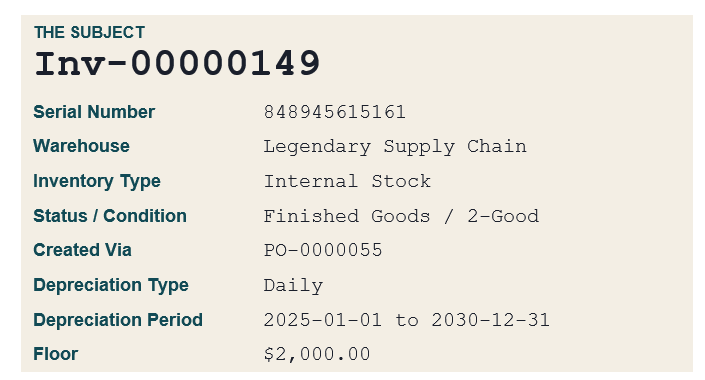
Tracking a depreciating asset through its full accounting life sounds straightforward until you try to do it. Cost basis changes, GL reclassifications, capitalized service events, and daily depreciation schedules all have to stay in sync, and the journal entries have to tell a coherent story at every step. This piece walks through one serialized record from a Legendary demo environment from its first receipt through fourteen months of accounting events. Six phases, every entry, in the order the system posted them.
If you are evaluating an inventory or ERP platform, this is the kind of trace worth asking for. Cost basis transparency is where a lot of systems quietly break down.
Phase 1: The Asset Arrives
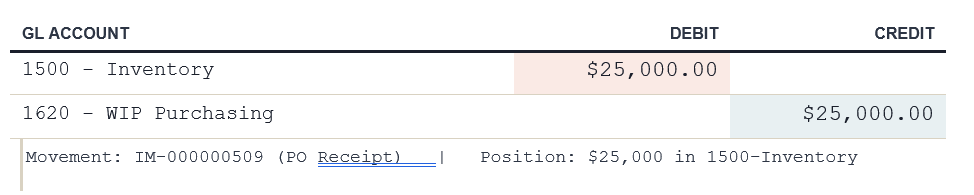
The asset is received against the purchase order at $25,000.00. Receipt clears the work-in-process purchasing account and lands the cost in inventory. Standard double entry, no surprises. This is the cost basis that everything downstream is going to reference.
Phase 2: Daily Depreciation Begins
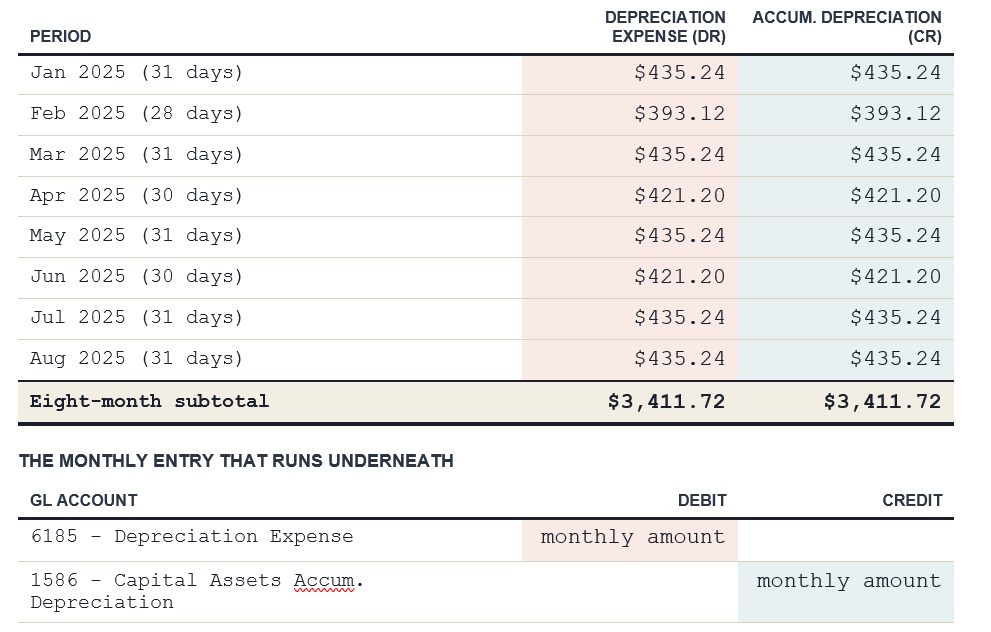
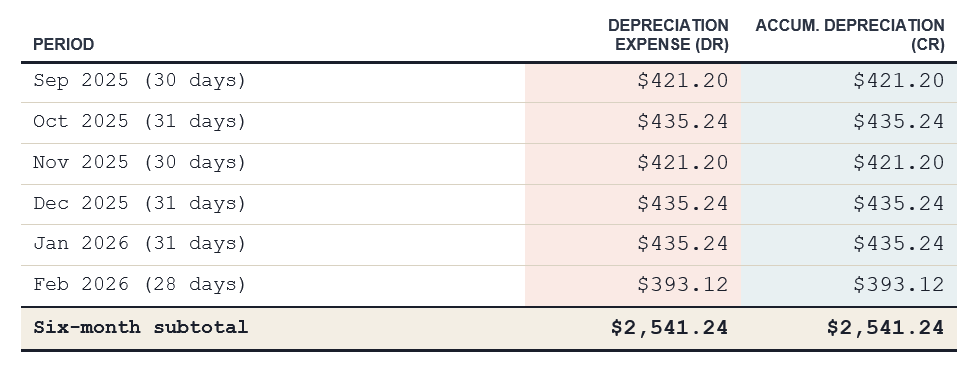
Starting January 1, the system runs daily depreciation across the configured 2025-2030 schedule. Because we are using a daily method rather than a flat monthly amount, each month posts a different total based on calendar days. February is shorter, so February is smaller. This matters more than it sounds: it keeps month-end close honest and prevents the small reconciliation drift that monthly-flat depreciation tends to create across long-lived assets.
Phase 3: A GL classification begins, no money moves
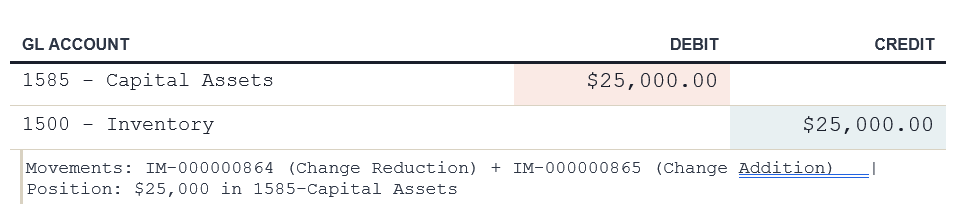
Nine months in, the asset gets reclassified from general inventory to capital assets. This is a common accounting cleanup: the original receipt landed in 1500-Inventory, but operationally this asset belongs in 1585-Capital Assets where it can be tracked alongside the rest of the depreciable fleet. The cost basis does not change. Only the GL home does.
Phase 4: Cost Basis Adjustment
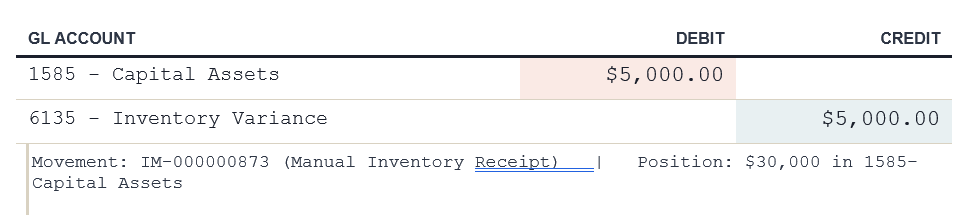
Five days later, a manual inventory receipt adds $5,000 to the asset. This is the kind of event that breaks naive depreciation systems: a real cost capitalized into an existing serialized asset. Offset goes to the inventory variance account, which keeps the books clean and gives the controllership a single place to review capitalized cost adjustments at month end.
Phase 5: A technical order capitalizes more cost
A technical order absorbs $2,750 from another inventory record (Inv-00000037) into Inv-00000149. This is parts or labor cost being capitalized into the asset, which is exactly what should happen when a major repair or component upgrade extends an asset's life. The offset hits the source inventory record rather than an expense account, because the value is moving between assets, not leaving the balance sheet.

Phase 6: Depreciation continues, unbothered by the cost changes
Here is where it gets interesting. Even though the cost basis just jumped from $25,000 to $32,750, the daily depreciation rate did not change. The system kept posting at the original rate.
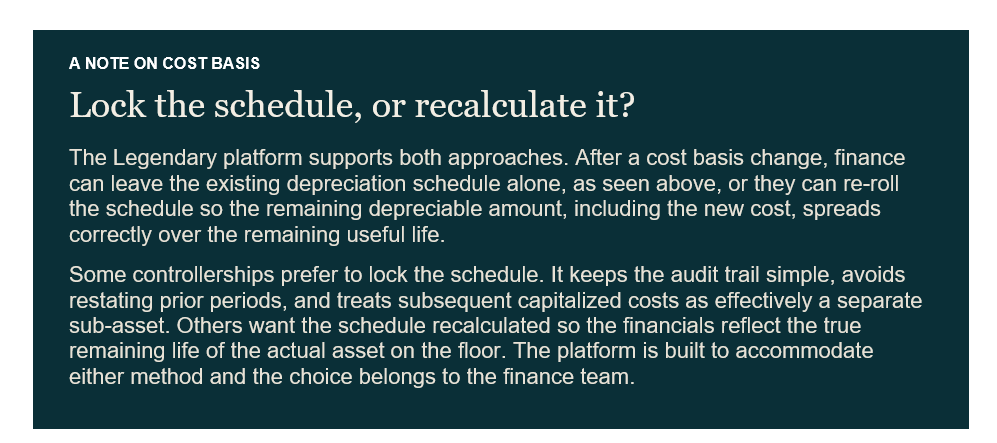
This is the right behavior for an enterprise system: it does not make policy calls on behalf of the controllership. It executes the policy the controllership has set, and it makes the alternative one click away.
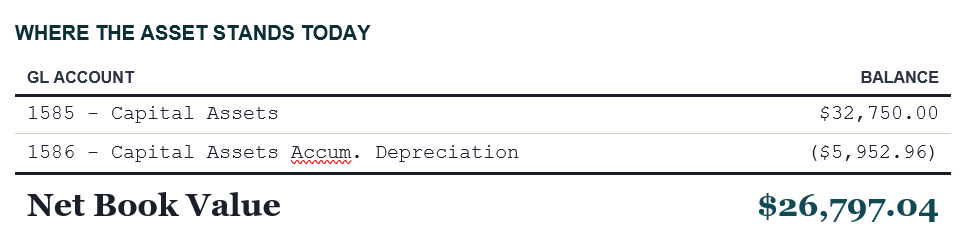

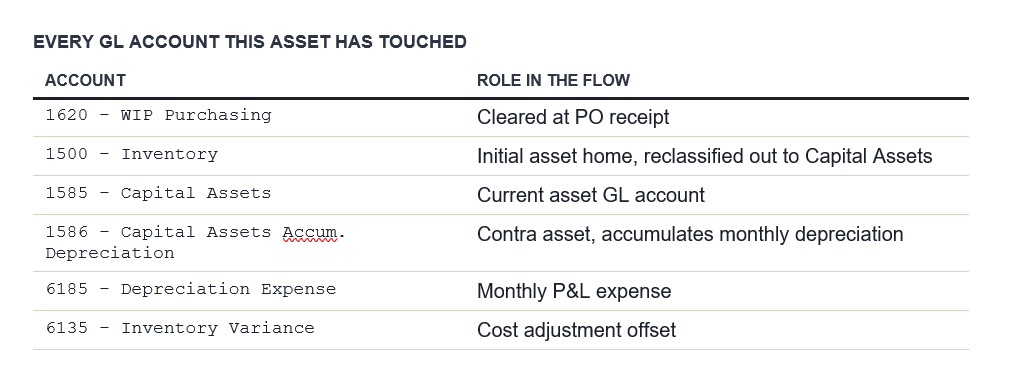
Every entry is double-entry, every movement is referenced, and when the dust settles fourteen months later, the inventory record reconciles to the GL to the cent, no spreadsheet required. This functionality can mean the difference between having a finance team that closes with confidence and one that spends the last week of every month hunting for drift.
Want to learn more? Request a demo at legendarysupplychain.com or reach us at marketing@legendarysupplychain.com.
See what the momentum is built on.
Legendary Supply Chain runs your whole operation on one Salesforce-native platform. See it on your data.
Book a demo